Thank you! We'll get back to you within two business days.
Something went wrong. Please try again or email us at hello@bluedynamic.cz.
Business Consultants
Adriana Pricop & Štěpán Kněžek
We'll get back to you within two business days.
/
article
/
How to Easily Customize Dynamics AX to Your Needs
Published:
20.5.2020
Three Easy Ways to Customize Dynamics AX
Running a successful business today means constantly reacting to outside influences, staying well informed about what’s happening inside your company, and being able to adapt quickly to your surroundings.
Choosing the right information system is a demanding discipline these days. You need to weigh what the system offers out of the box, consider how flexible it is, and judge how well it can adapt to your needs and to modern trends. Last but not least, a friendly user interface matters too — one that won’t distract employees from their daily work, but will actually make it more pleasant.
In this article, I’ll briefly walk you through how the Microsoft Dynamics AX system can adapt to you, becoming an even better partner for your everyday work.
Tip 1: User Customization
Modern information systems have to put all the necessary information into users’ hands, ideally in real time. That places high demands on the system — users need to feel at home in it and be able to get the most out of it. Gone are the days when an information system’s user interface merely displayed data in the same structure it was stored in the database. Making sense of data like that was, and still is, genuinely difficult, forcing users to be fluent not just in their business but in IT as well.
Modern information systems are designed from the ground up to give users enough comfort for their everyday work
Modern information systems like Microsoft Dynamics AX are designed from the start so that the whole user interface gives users enough comfort in their daily work without placing heavy “IT” demands on them. To get the most out of the relationship between employees and the IT system, it’s important to keep an eye on how each user actually feels using it. It’s always easier and better to work with something you like, something that adapts to you, and something that simply grows on you.
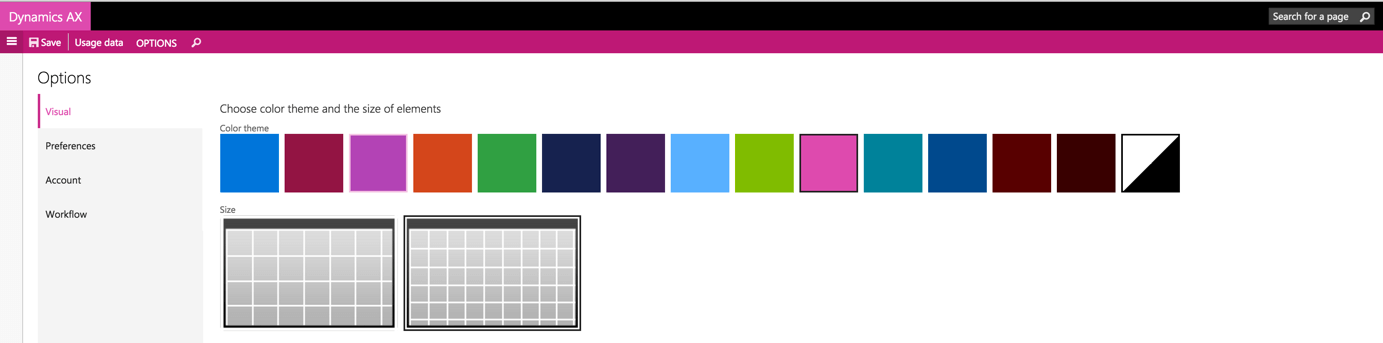
The new version of Microsoft Dynamics AX gives us a wide range of user customization in this respect. Its user interface can run on almost any available device — laptops, mobile phones, and tablets. Visual customization of how individual pages are displayed is also part of the standard offering.
So your accountant can view all the important information on their tablet — and in their favorite shade of pink, no less:
Some might argue this is a trivial cosmetic detail, but given everyone’s individual aesthetic taste, even this “small thing” can make using the information system a more pleasant experience.
Another great customization feature in the new Microsoft Dynamics 365 system is the ability to adjust the data shown in each window — for example, based on which data actually matters for your work. A long-standing standard in Microsoft Dynamics AX has been the ability to add, remove, and reorder columns in each list view. That feature has now been complemented by a very handy control panel.
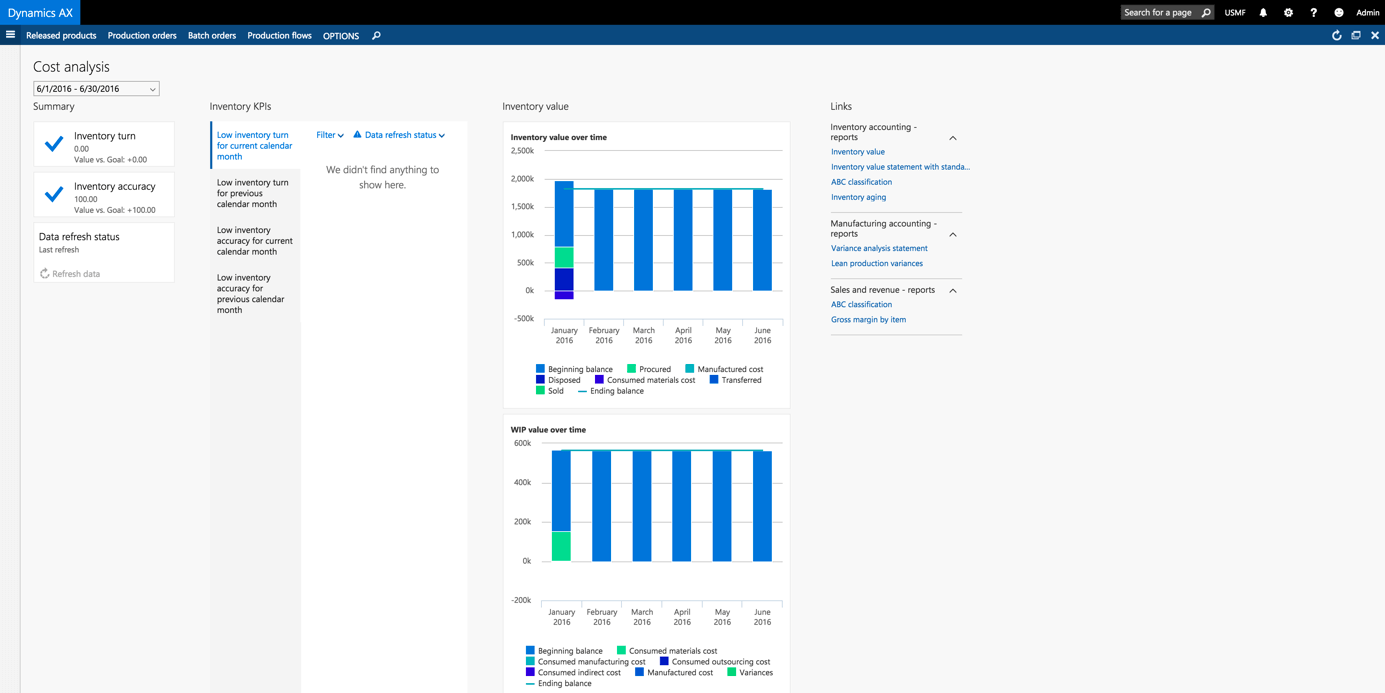
The proverbial cherry on top when it comes to user customization, though, is the ability to build your own screens showing an overview of the data that matters most to you. Imagine that over breakfast you pull up a screen on your tablet — one you built yourself — showing only the data you care about right at that moment. Everything you need, in one place, right at hand.
Your screen might look something like this:
And if things change and you need to tweak the layout, or add or remove some of the information shown, you don’t need to call IT support. You can handle it all yourself — it’ll look exactly the way you need and want it to.
Tip 2: Adjusting Business Processes
A true, genuine IT partner for your business is an information system that can be just as flexible as you are, while staying robust enough to withstand the heaviest load your business can throw at it. Meeting that bar means being able to change the business logic of individual processes within the system yourself — ideally without needing an IT specialist or even a developer to step in.
If you have nightmares about implementing a simple change in your IT system (say, in one of your logistics processes), or if you dread how a single small process tweak might spiral into a complicated change-management procedure and drawn-out negotiations with your IT vendor, keep reading.
None of that awaits you in the new Microsoft Dynamics AX. All logistics processes, for example, are user-definable, so you can create new ones and modify existing ones on the fly.
Let’s walk through a simple example:
Say you know that tomorrow a large shipment is going out to an important customer. This shipment is unusual, though: everything leaving the warehouse needs to be repacked into different packaging because of air freight restrictions. So we need to add one extra stop to the process — at a so-called staging location — where the goods get repacked before they’re actually shipped out.
This process is a one-off for your warehouse, and it isn’t fully set up in the system yet. But if you’re running Microsoft Dynamics AX, you can build this process very easily using simple, fully user-definable rules.
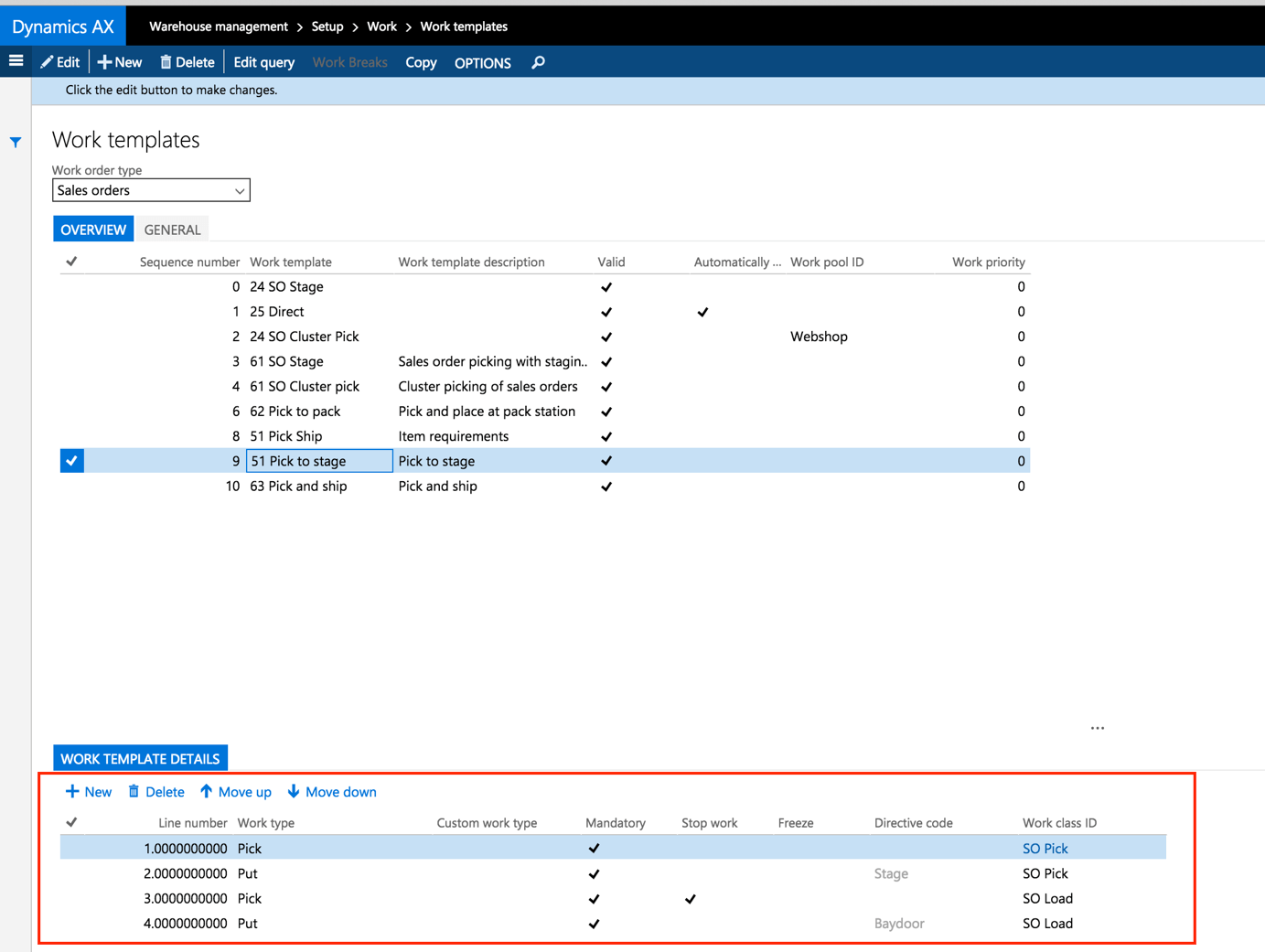
The standard process shipped goods straight from the shelf to the outbound location — just two steps (from the shelf directly to the loading dock).
Our requirement, though, was to add one more intermediate stop where the goods get repacked.
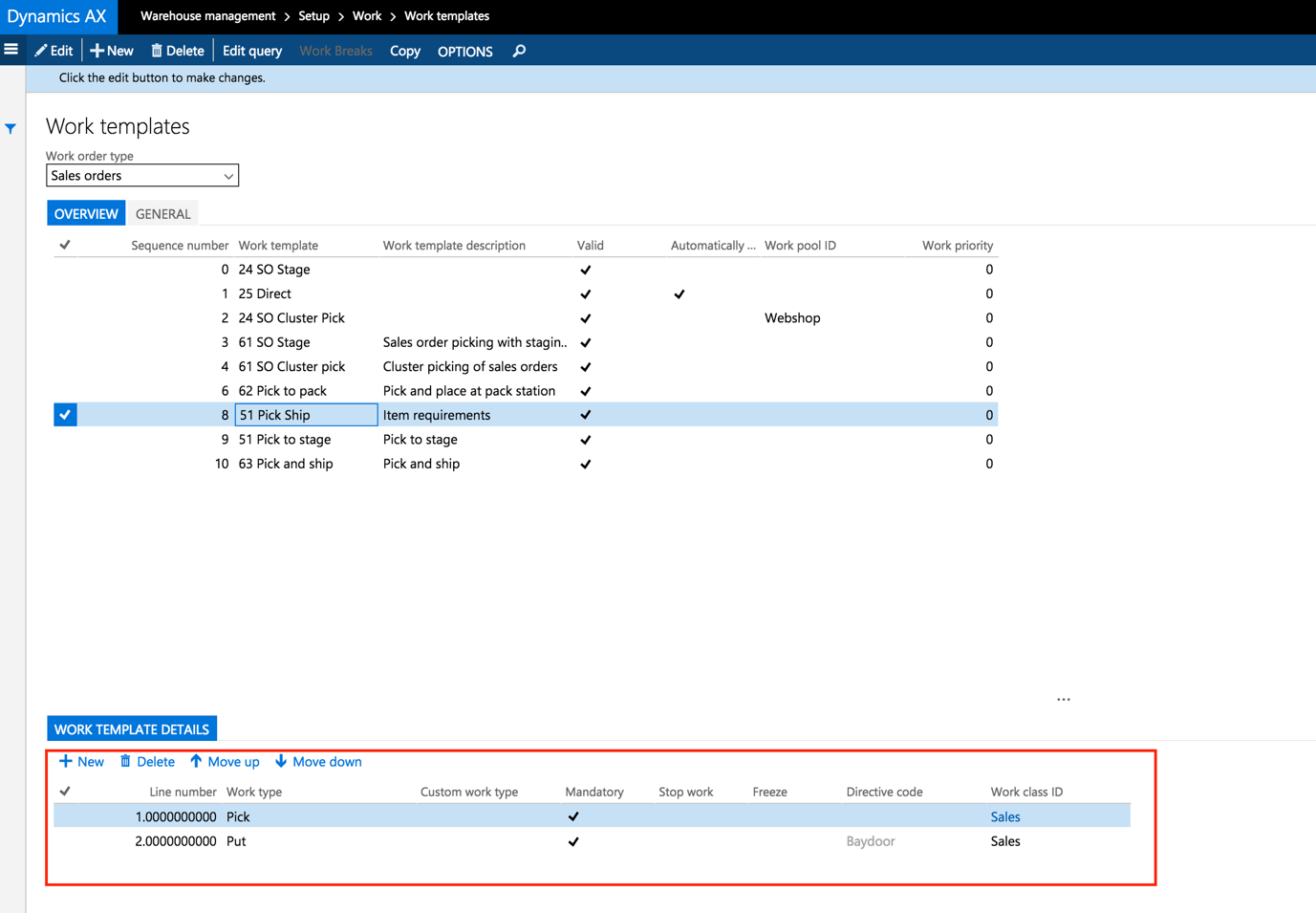
We can achieve that very simply by creating a new outbound rule:
We then add a condition to this new rule so it only applies to orders for that specific customer. All other processes stay exactly as they were. Once the warehouse starts picking an order for that customer, the system automatically guides the warehouse staff through the new rules.
In Microsoft Dynamics AX, that kind of flexibility isn’t limited to logistics processes — you can manage most of the key processes across the whole company the same way, from purchasing to production, sales, and finance.
Tip 3: Flexibility Through Customization
If your requirements are so demanding that the standard functionality of an information system just isn’t enough, the obvious question is: what can you do about it? Modern information systems today offer plenty of room for customization, but Microsoft Dynamics AX is genuinely unique in this respect. It offers fully open source code across all its modules and components — essentially an “open source” model.
Having access to the code is a kind of guarantee that almost anything in the system can be adapted — but plenty of you are probably wondering about vendor lock-in. The answer to that concern is that the whole system is built on the .NET framework, one of the most robust and widely used programming frameworks in the world.
Combining open code with that programming framework gives you confidence that virtually any requirement can be built into the system. In that respect, the system places no limits on you.
That kind of openness does carry real risks, though — users can slip into so-called “wild” development, which in extreme cases means building functionality that already exists in the standard product. This is exactly where an experienced partner (your system provider) is worth having: they’ll consult with you on any custom development before it happens, and steer you away from rebuilding something that’s already there.
The right partner is a hugely important piece of the puzzle when it comes to the overall flexibility of your information system. They don’t just build whatever you ask for — they shape solutions together with you, weighing your needs against what the system can actually do, so that unchecked custom development doesn’t close the door on future development or a later upgrade.
The right partner solves the problem of system flexibility, and doesn’t just build whatever you ask for — they craft solutions within what the system can actually support.
If you’ve read this far, the possibilities an information system can offer you clearly matter — and so does how well it can adapt to you and help you achieve better results in your industry.
Believe me, there’s a lot more that could be written about what Microsoft Dynamics AX can do — but matters this substantial are better discussed directly. If you’d like to see Microsoft Dynamics AX for yourself, feel free to fill out our contact form and we’ll get in touch to schedule a meeting.
I look forward to seeing you soon — either in person or back here on our blog for another topic from the world of Microsoft Dynamics AX.
Jiří Hosenseidl, works as a Dynamics AX consultant at Blue Dynamic.
How to Easily Customize Dynamics AX to Your Needs
Let's talk
/ Whether you know exactly what you need or just want to explore opportunities and possibilities.